What You Need Before You Start
| Requirement | Details | |---| | Device Type | Smartphone | | Software | Ledger Live app (from App Store or Play Store) | | Hardware | Ledger Flex device | | Accessories | USBC cable, three blank recovery sheets, quick start guide, LIFL (use, care, and regulatory details) | | Settings | Bluetooth enabled on your smartphone |
What Is Ledger Flex Setup?
Setting up your Ledger Flex device involves initializing it and pairing it with the Ledger Live app on your smartphone. This process establishes a secure connection and prepares your device to manage your digital assets.
Your Ledger Flex is a type of hardware wallet.
Hardware wallet: A physical electronic device that stores the private keys to your cryptocurrencies offline, providing enhanced security against online threats.
The setup also involves generating and securing your secret recovery phrase, which is crucial for the security of your device and funds. The Ledger Live app acts as an interface to interact with your hardware wallet, allowing you to install blockchain apps and manage various cryptocurrencies.
Ledger Live app: The official application for managing your Ledger hardware wallet, allowing you to install blockchain apps, send, receive, and manage cryptocurrencies. Secret recovery phrase: A sequence of 24 words that serves as the master key to your digital assets, allowing you to recover access to your funds if your Ledger device is lost or damaged. It must be kept private and secure.
Disclaimer: This article is for informational purposes only and does not constitute financial advice. Always conduct your own research before using any platform or service.
Step-by-Step Guide
Download Ledger Live and Pair Your Device
- Download the Ledger Live app onto your smartphone from the App Store or Play Store.
- Open the Ledger Live app on your smartphone.
- Tap Get started.
- Tap Set up your Ledger.
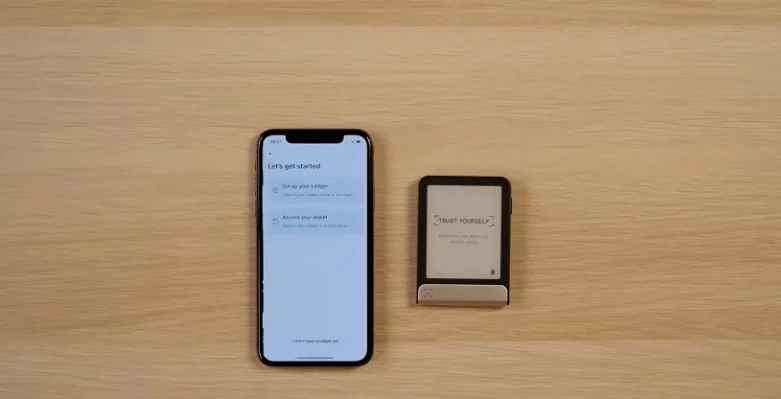
- Choose your Ledger device type.
- Ensure Bluetooth is enabled on your phone.
- Turn on your Ledger Flex device by pressing and holding the button on the right side.
- Tap Tap to continue on your Ledger device screen when your phone has found it.
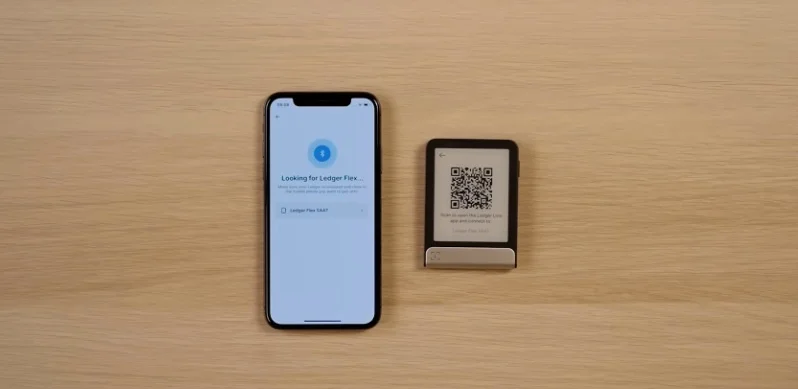
- Verify that the pairing code displayed on your phone matches the code on your Ledger device screen.
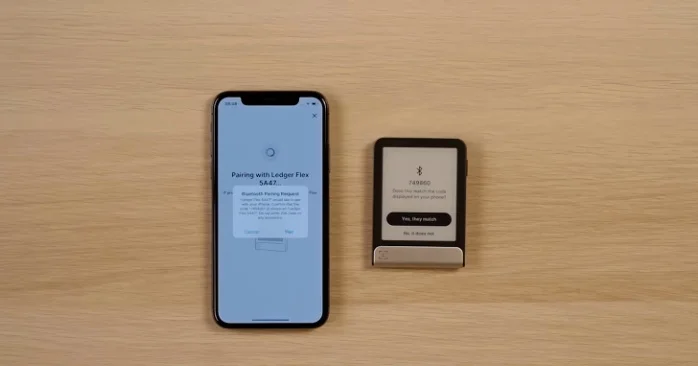
- If the codes match, press Yes on your Ledger device to begin pairing.
Perform Device Integrity Check
- On your phone, tap Check Ledger to verify your device is genuine and its operating system is up to date.
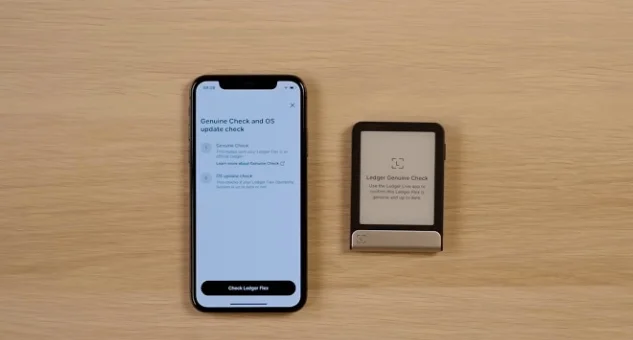
- On your Ledger device, tap Allow to establish a secure connection for the check.
Choose a PIN for Your Device
- On your phone, tap Choose my PIN.
- Enter a PIN that contains between four and eight digits. Using eight digits is recommended.
- Confirm your PIN.
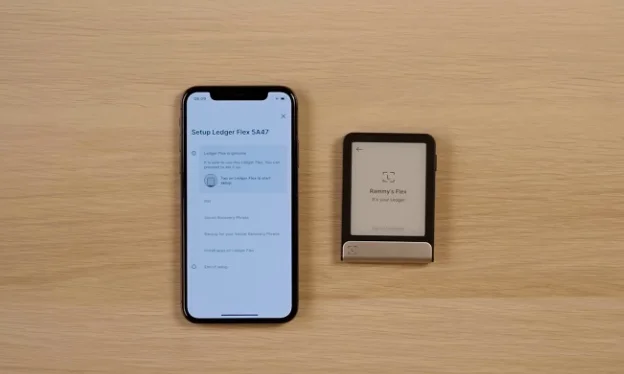
Set Up Your Secret Recovery Phrase
- On your phone, tap to continue.
- Choose Set up as new Ledger.
- Review the information about generating your secret recovery phrase, then tap Continue.
- Tap I understand.
- Start recording the 24 words of your secret recovery phrase. Never show your secret recovery phrase to anyone or take a photo of it. You and only you should have a physical record.
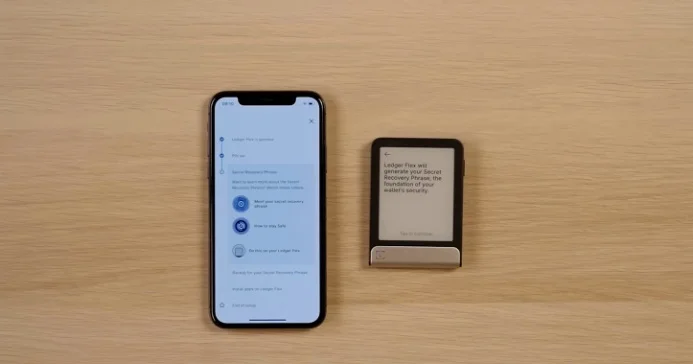
- Tap Continue when you are ready to record.
- Write down the first group of four words in the correct space on one of the provided physical recovery sheets.
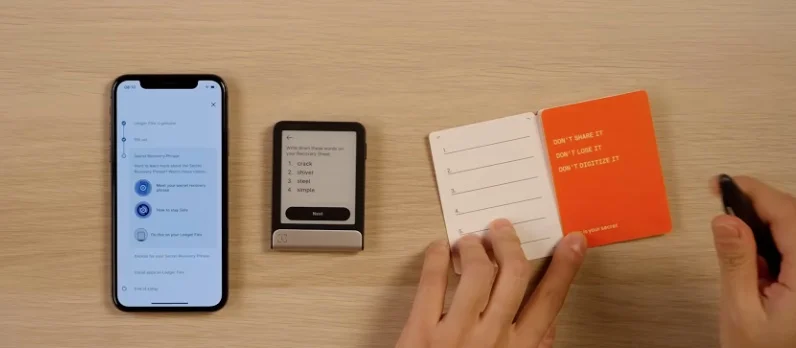
- Tap Next on your device to reveal the next four words, and repeat this process until all 24 words are recorded.
- Tap Done on your device.
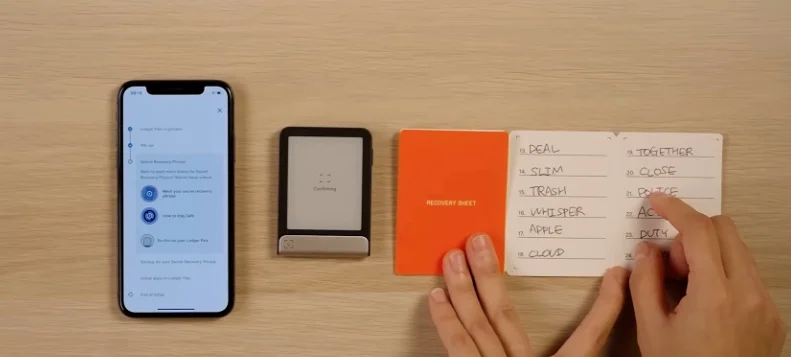
- Tap Start confirmation on your device to confirm all 24 words have been recorded correctly.
- After confirming all words, your Ledger device will display 'Secret Recovery Phrase Confirmed'. Tap to continue.
Finalize Setup (Optional Digital Backup)
- On your phone, if you do not wish to use a digital backup, tap No, I'm good with paper.
- Tap Understand to acknowledge the disclaimer.
Install Blockchain Apps
- On your phone, read the prompt about blockchain apps.
- Tap Install now to add the necessary applications to your Ledger device, allowing it to communicate with specific blockchains and manage your digital assets.
Frequently Asked Questions
Is setting up Ledger Flex secure?
Setting up your Ledger Flex device involves several security features, such as verifying the device's authenticity and setting a unique PIN. The secret recovery phrase is also a core security element, and keeping it private and secure is essential for protecting your digital assets.
Why do I need a PIN for my Ledger Flex device?
A PIN is required to lock and unlock your Ledger Flex device. It helps protect your device from unauthorized access, adding a layer of security to your digital assets.
What is a Secret Recovery Phrase?
A secret recovery phrase is a unique set of 24 words that serves as the master key to your digital assets. It is generated during setup and is crucial for recovering your private keys if your Ledger device is lost or damaged. You should record it on the provided recovery sheets and keep it safe and private.
What is Ledger Recover?
Ledger Recover is an optional subscription service offered by Ledger. It provides a digital backup of your wallet access, which can allow you to recover your private keys using a Ledger Recover ID if you lose your secret recovery phrase.
Can I manage cryptocurrency with my Ledger Flex?
Yes, after setting up your Ledger Flex device and installing the necessary blockchain apps, you can use it to manage your digital assets. This includes reviewing and signing transactions for the cryptocurrencies you own, as well as functions like buying, selling, swapping, or staking assets within the secure environment of your device.