This article provides a step-by-step guide on how to purchase Ethereum and transfer it to a hardware wallet. Securing your digital assets is a fundamental skill for cryptocurrency users.
Disclaimer: This article is for informational purposes only and does not constitute financial advice. Always conduct your own research before using any platform or service.
What You Need Before You Start
Requirement | Details |
|---|---|
Device | Computer (desktop or laptop) |
Internet Connection | Stable internet access |
Exchange Account | Coinbase Advanced account (Kraken account optional for Method 2) |
Hardware Wallet | Ledger device (e.g., Ledger Flex, Ledger STAX) |
Hardware Wallet PIN | PIN for your Ledger device |
Software | Ledger Live application |
Funds | Funds for purchasing Ethereum (e.g., ~$50 for Coinbase example, ~$20 for Kraken example) |
What Is Ethereum and a Hardware Wallet?
This guide will walk you through purchasing Ethereum and transferring it to a hardware wallet. This process is important for users who wish to acquire and then self-custody their digital assets.
Ethereum: A decentralized blockchain platform and the world's second-largest cryptocurrency by market capitalization. Launched in 2015, Ethereum introduced programmable smart contracts that power decentralized applications, DeFi protocols, and NFT ecosystems. Hardware Wallet: A physical electronic device designed to securely store the private keys for your cryptocurrency offline. Managing your assets in a hardware wallet aims to provide enhanced security by isolating your private keys from internet-connected devices.
Step-by-Step Guide
Purchasing Ethereum on Coinbase Advanced
- Log into your Coinbase Advanced account.
- On the dashboard, click Manage funds.
- Select Deposit cash.
- Enter the amount you wish to deposit (e.g., $50). You may choose to convert your deposit directly into USD Coin (USDC) during this process.
- Click Preview.
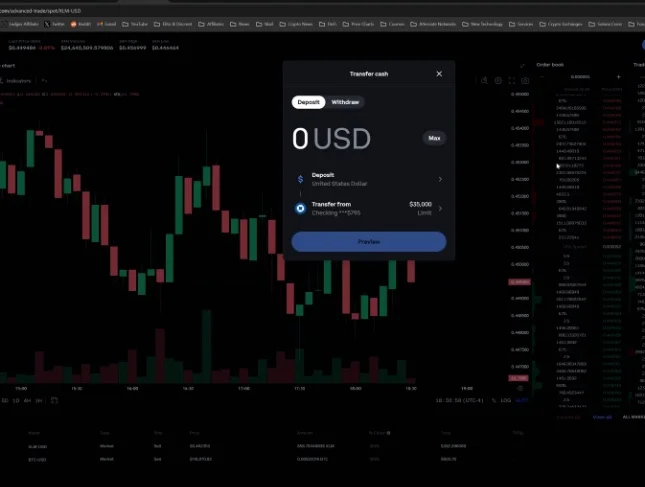
- Review the deposit details and click Deposit now. Funds deposited from a bank are typically available for trading instantly.
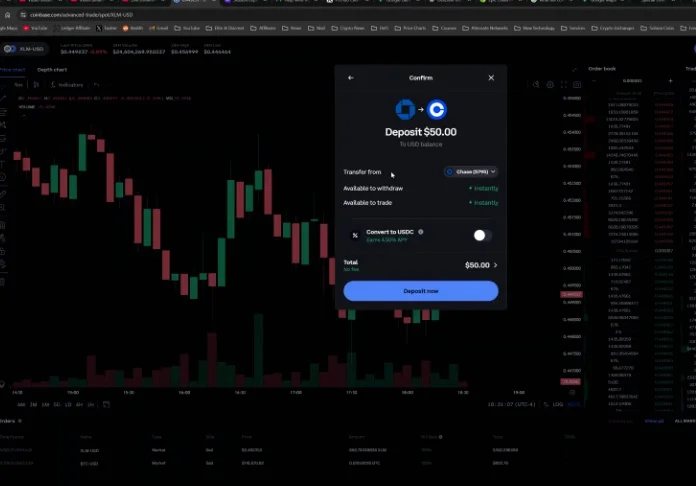
- Navigate to the Spot trading interface and select the ETH/USD or ETH/USDC trading pair.
- Enter the amount of Ethereum you wish to buy or click Max to use your full available balance.
- Select your desired order type (e.g., Market order).
- Click Buy ETH.
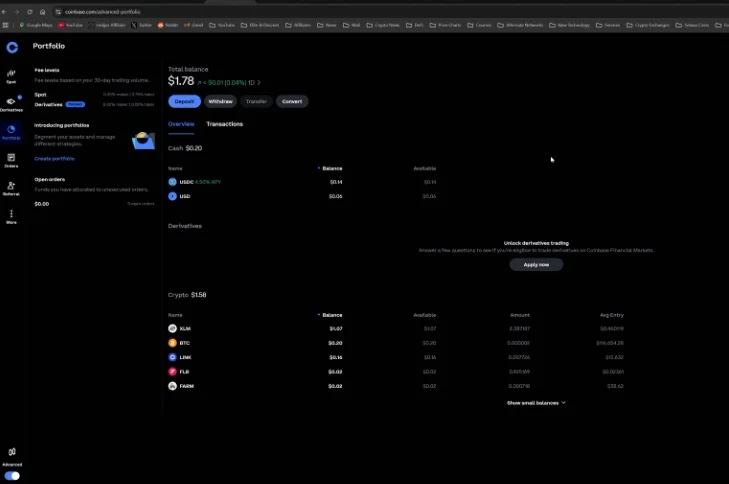
- After the purchase, return to your Portfolio to see your newly acquired Ethereum.
Receiving Ethereum on Ledger Live
- Connect your Ledger device to your computer via USB.
- Enter your PIN on the Ledger device to authorize it as a USB device.
- Open the Ledger Live application on your computer.
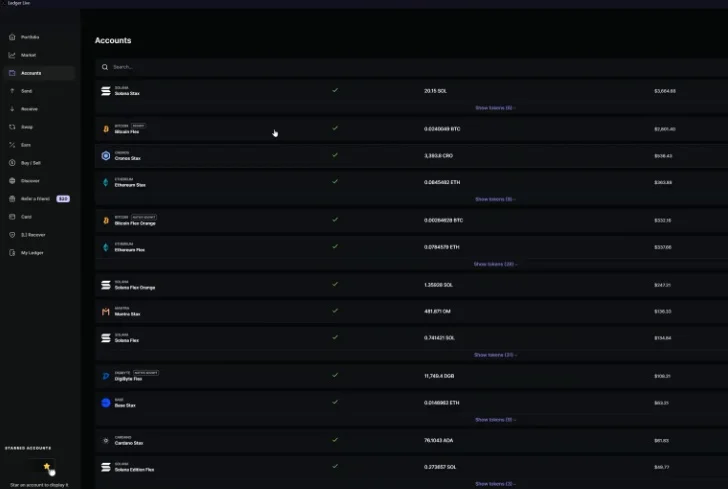
- In Ledger Live, go to Accounts and select your desired Ethereum account (e.g., Ethereum stacks or Ethereum Flex).
- Click the Receive button.
- On your Ledger device, allow the secure connection if prompted.
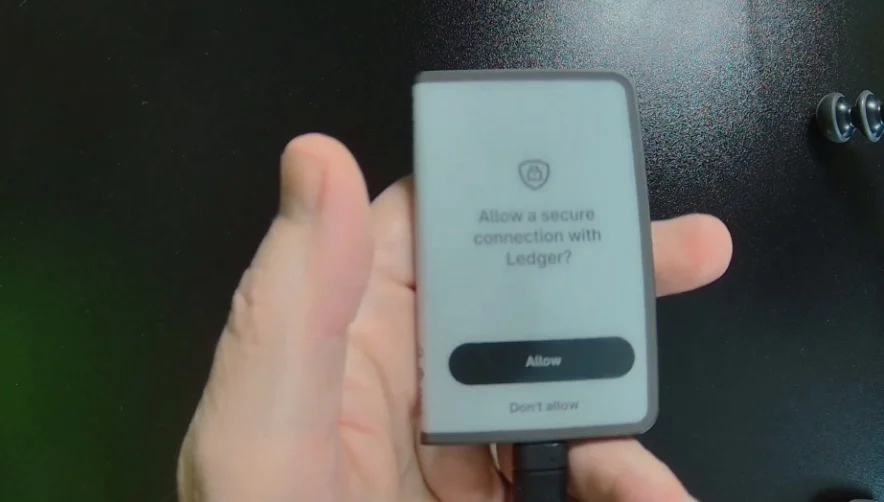
- Open the Ethereum application on your Ledger device.
- Ledger Live will perform a hardware check. Verify the Ethereum address displayed on your computer screen against the address shown on your Ledger device. This step is critical for security.
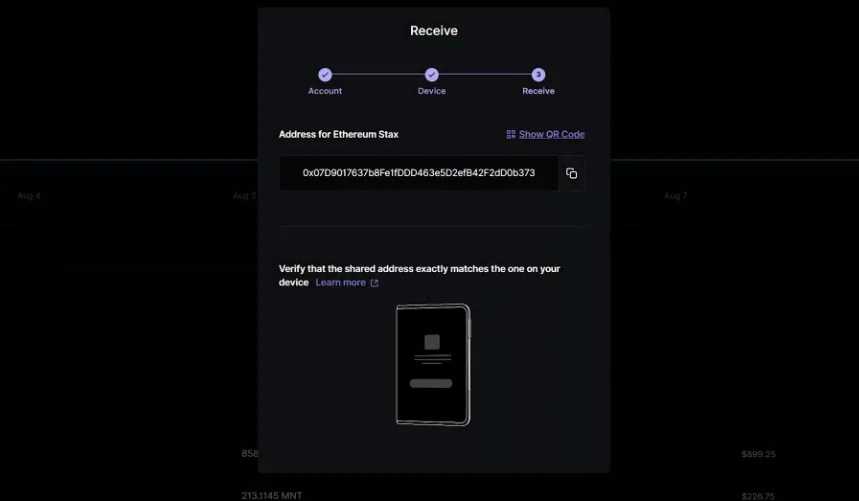
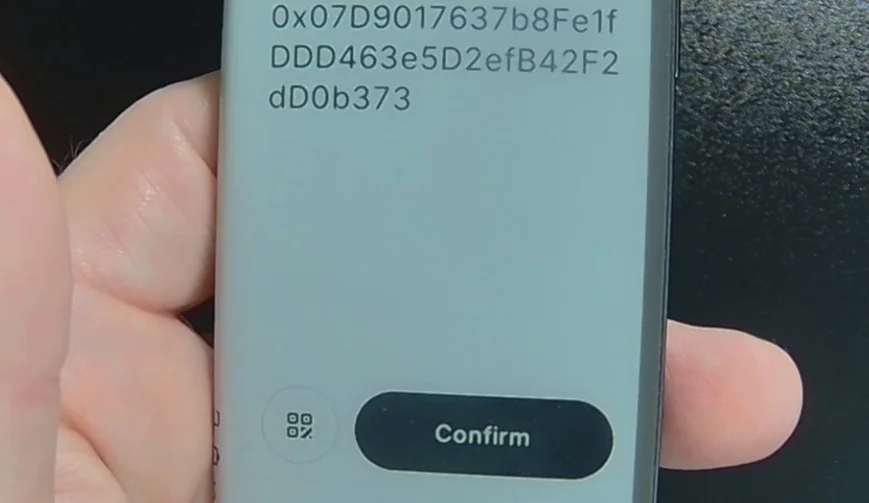
- On your Ledger device, confirm the address. After confirmation, the address will disappear from Ledger Live.
- Copy the verified Ethereum address to your clipboard.
Transferring Ethereum from Coinbase Advanced to Ledger Live
- Return to your Coinbase Advanced portfolio.
- Click on your Ethereum balance to manage it.
- Select the Withdraw option.
- Paste the Ethereum address you copied from Ledger Live into the recipient address field.
- Crucially, ensure you select the Ethereum network for the withdrawal. Using an incorrect network (e.g., Base network if not intended for a Base account) may result in permanent loss of funds.
- Enter the amount of Ethereum you wish to transfer (e.g., Max).
- Review the details, including any fees, and click Send now.
- The transfer should take approximately one minute to process.
- In Ledger Live, you can click the Sync button in your Ethereum account to refresh and confirm the received funds.
Purchasing Ethereum on Kraken
- Go to the Kraken website and log in using your username, password, and passkey/security key. You may need to enter a PIN on your hardware device and touch it to authenticate.
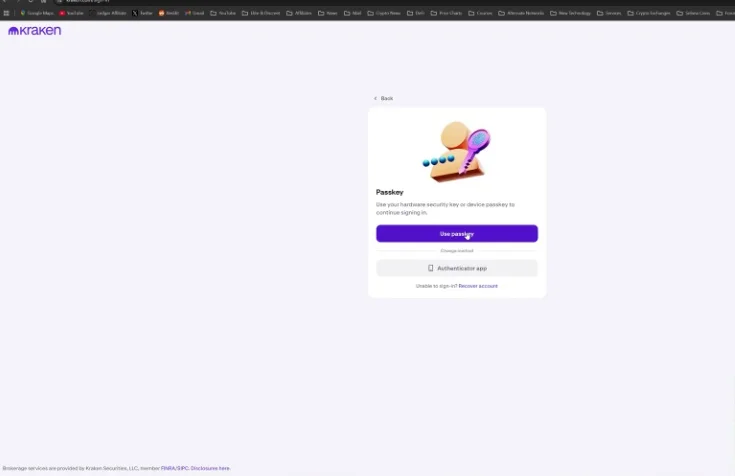
- Navigate to the trading interface.
- Select Ethereum (ETH) and choose the amount you wish to buy (e.g., $20).
- Confirm the purchase.
- Go to your Portfolio to view your purchased Ethereum.
Transferring Ethereum from Kraken to Ledger Live
- From your Kraken portfolio, click on Ethereum.
- Select the Withdraw option.
- Choose the Ethereum network for the withdrawal.
- Select a whitelisted address or paste the Ethereum address copied from Ledger Live (follow the Ledger Live receiving steps above to get the address).
- Enter the amount you wish to withdraw (e.g., Max).
- Click Review and then Confirm.
- Kraken will process the withdrawal. You can check your Ledger Live account for the incoming transaction.
Common Errors and How to Fix Them
Error | Cause | Fix |
|---|---|---|
"Oops, something went wrong" in Ledger Live | The wrong Ledger device is attached to your computer for the selected account. | Attach the correct Ledger device associated with the account you are trying to manage. |
Funds do not appear in your Ledger wallet | You selected an incorrect network during the withdrawal process on the exchange. | Always ensure the withdrawal network (e.g., Ethereum network) matches the network of your receiving Ledger account. Funds sent to an unsupported or incorrect network may be lost. |
Ledger device not recognized by computer/Ledger Live | You have not entered your PIN on the Ledger device. | Enter your PIN on the Ledger device to authorize it as a USB device for your computer. |
Frequently Asked Questions
Is transferring Ethereum to a hardware wallet safe?
Using a hardware wallet aims to enhance the security of your Ethereum by storing your private keys offline, protecting them from online threats. Always ensure you follow proper steps like verifying addresses on your device.
How long does an Ethereum transfer take?
Transfers from an exchange like Coinbase to a Ledger hardware wallet typically take about one minute to process, though blockchain confirmation times can vary.
Does transferring Ethereum cost anything?
Yes, exchanges like Coinbase and Kraken typically charge withdrawal fees, which often include the underlying blockchain network fees. These fees can fluctuate.
What happens if I use the wrong network for a transfer?
If you send Ethereum to an address on an incorrect or unsupported network, your funds may be permanently lost and unrecoverable. It is critical to always select the correct network for your transaction.
Can I manage multiple Ledger devices with one Ledger Live application?
Yes, Ledger Live allows you to manage multiple Ledger hardware devices and their associated accounts within a single application.